Short answer
Choose the tag together with the object and the read scenario
A chip name or the maximum catalog read range does not determine the result on its own. Performance depends on the surface, contents, object size, mounting position, orientation, reader, antenna and nearby items.
A practical selection has two stages: first, build a shortlist using technical criteria; then compare the candidates under the same conditions on actual objects.
The deliverable should be a specification, not just a part number: tag model, mounting method and position, encoding rules, reader setup and a measurable acceptance criterion.
The first four criteria
What determines RF performance
These parameters remove unsuitable options before the on-site test.
Frequency band and region
The tag and hardware must support the project frequency band and the applicable UHF RFID standard.
Surface and contents
Metal and liquids change the RF environment. They require suitable tag designs and a tested mounting position.
Read zone
A handheld reader, a gate portal and a desktop reader have different requirements.
Size and orientation
Available area and tag orientation relative to the antenna affect read consistency.
Form factors
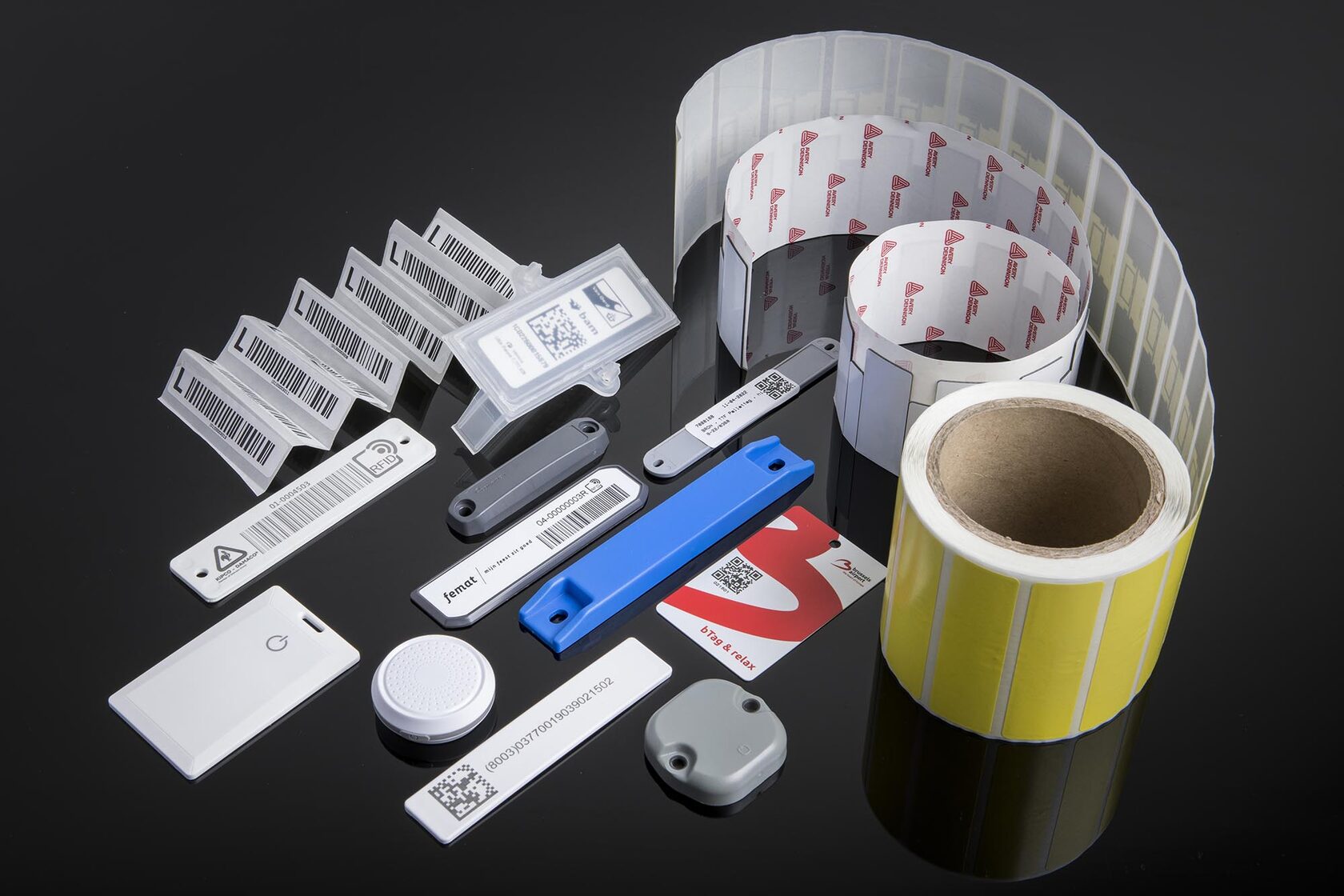
Common RFID tag types
Select the form factor for the object, attachment method and service life, not only by unit price.
Self-adhesive UHF label
For boxes, documents and validated plastic surfaces. It can combine RFID, printed text and a barcode.
On-metal tag
For equipment, tools, metal containers and IT assets. Available as printable labels or rugged hard tags.
Laundry tag
For linen and workwear. Select it for the actual washing, drying, ironing and sewing process.
Vehicle tag
For vehicle identification. Validate placement against the windscreen type and entrance geometry.
Industrial hard tag
For outdoor use, returnable containers, mechanical stress and long service life.
Hanging or embedded tag
Used when an adhesive label is unsuitable or the tag must become part of the product.
Complete technical brief
Eight selection criteria
Record them before requesting samples and keep them in the test protocol.
- Frequency band and region: compatibility of the tag, reader and the project regulatory band.
- Surface and contents: cardboard, plastic, metal, glass, fabric, liquid or mixed packaging.
- Read zone: distance, movement speed, read direction and number of objects.
- Size and placement: available area, bends, edges and repeatable positioning.
- Attachment: adhesive, screws, rivets, sewing, hanging or embedding.
- Environment: temperature, humidity, washing, chemicals, ultraviolet exposure, impact and abrasion.
- Memory and data: EPC structure, TID use, user memory and write locking.
- Printing and workflow: printer compatibility, encoding, application and quality control.
Use cases
One tag does not have to fit every read zone
Define the requirement through the operation the RFID system must support.
Warehouse gate
Bulk reading of moving boxes or pallets without capturing tags from an adjacent zone.
Asset inventory
Reliable handheld search from different directions on furniture, equipment and metal assets.
Production
Reading parts, tooling or containers at the specified temperature and mechanical load.
Textiles
Preserving the tag and identifier through repeated processing cycles.
Vehicles
Consistent identification at the entrance with actual vehicle speed and windscreen types.
Desktop encoding
Printing, encoding, verification and duplicate EPC prevention in the operating workflow.
Validation before purchase
How to run a comparative test
Test every candidate with the same method and under the same conditions.
- Define the task
Describe the object, operation and measurable acceptance criterion.
- Shortlist candidates
Select several tags for the surface, size and environment.
- Prepare the data
Encode test EPC values and link them to the objects.
- Use the final attachment
Mount tags in a repeatable position using the intended method.
- Test with the production setup
Use the same reader, antenna and placement planned for operation.
- Repeat with a group
Test dense placement, movement and adjacent read zones.
- Test the physical cycle
Check printing, encoding, adhesive, washing or mechanical stress.
- Save the protocol
Approve the batch specification only after a measurable comparison.
Decision
The catalog creates the shortlist; the test confirms the choice
From the specification
Check the band, material, size, memory, attachment, temperature and print compatibility. This removes unsuitable options.
At the site
Compare candidates on actual objects, in the working read zone and under the real movement scenario. This confirms the model and mounting position.
Common mistakes
What leads to a poor specification
Most selection errors occur when a tag is evaluated separately from the object and process.
- Buying a tag only by the maximum catalog read range.
- Testing in free air but deploying on another material.
- Testing one item instead of the working group.
- Not documenting orientation and mounting position.
- Choosing the smallest size without validating the read zone.
- Skipping adhesive, application temperature and stress tests.
- Writing unnecessary data instead of linking the EPC to the business system.
- Ordering the full batch before a pilot test.
FAQ
Frequently asked questions about RFID tag selection
Is there a universal RFID tag?
No. A form factor can work for several tasks, but performance depends on the surface, contents, environment, mounting position and hardware. Validate suitability in the actual scenario.
Is a smaller tag always better?
Not always. A compact tag is easier to place, but antenna size affects RF performance. Select the size together with the available area and required read zone.
Can I choose a tag only by the catalog read range?
Catalog figures are useful for shortlisting. Make the final choice after testing on the actual object with the same hardware, orientation and grouping planned for operation.
What data should be written to an RFID tag?
A unique EPC linked to the object record in 1C, ERP, WMS or an RFID platform is usually enough. Use additional memory only when data must reside on the tag itself.
When is a pilot required?
Before ordering a production batch and large-scale tagging. The pilot validates the full scenario: object, attachment, reader, zone, software and exception handling.
Related materials
Next step
We will select and compare tags on your objects
Describe the surfaces, environment, read zone and batch size. We will prepare a sample shortlist and a test plan.
